How to Redeem Be Tornado For Brainrots Codes
No live codes as of September 2026 — keep this checklist for the hour a real string appears in Shop, Gift, or Settings.
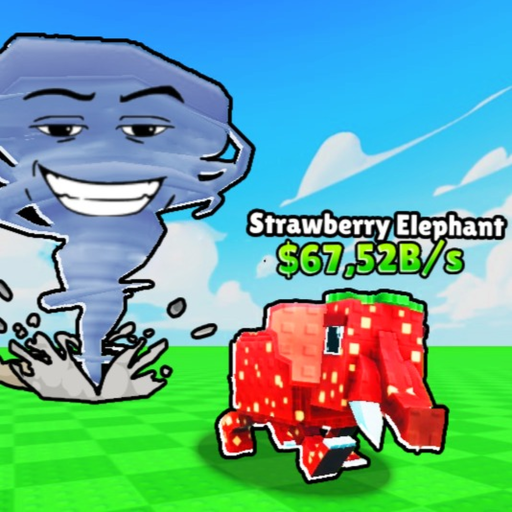
Be Tornado For Brainrots has no confirmed promo codes as of September 2026, but Roblox tycoons add a gift field without warning. This page is the redeem path for the day Red Frog Games or KosmicarIII actually ships a string — not a workaround, not a rebirth skip, and not a reason to paste an executor. If the codes hub still shows an empty table, there is nothing to type. Do not “practice” with codes from Be a Tornado, Escape Tsunami, Steal a Brainrot, or Fall For Brainrots.
The loop you should already know does not change after a successful redeem: plot Fan → tornado → wind distance → rarity grass → grab a Brainrot → Return → pad $/s → upgrade unit, wind, Carry, Fans. A code is a bump inside that loop. It is not a second game.
Before you type anything
- Confirm the code is listed as live on the codes hub. If it is missing, or it already sits on the expired tracker, stop.
- Join a public 6-player server of Be Tornado For Brainrots (Roblox place
72833051149233). Private empty servers sometimes hide Shop UI until a plot exists. - Claim a plot and tap the starter Fan so you are in the tornado session, not on the experience’s loading overlay.
- Have inventory space in mind. Carry starts at 1. If a code grants a Brainrot while you are already holding one, you may have to Return and park first.
- Do not buy a “codes gamepass.” This title has no listed gamepasses and no badges. Anyone selling a redeem pass is not describing this shop.
Likely UI (not confirmed)
Red Frog Games has not posted a canonical Codes screenshot. Search in this order, then quit the hunt if the field is absent:
- Shop / Store — many tycoons put a Twitter or gift tab on the cash shop that already sells Fans and wind.
- Settings / Menu — a gear or three-line button on mobile often hides a tiny Codes row under music sliders.
- Gift / Redeem / Twitter bird — a floating icon on the left or right HUD, separate from Sell and Return.
- Chat commands — only try
/codeor/redeemif the game’s own tooltip tells you to. Do not spam random slash commands; they will not spawn a Gold Fan.
If none of those exist, you cannot redeem, and that is expected today. Go back to Getting Started and print cash on pads instead.
Type it exactly, once
When a field finally appears:
- Copy the code from the codes hub, or type it by hand if you are on a console without paste.
- Match case, hyphens, and underscores.
Tornadois notTORNADO. Leading spaces from chat copy will fail. - Submit once. Wait for a toast, a cash pop, or a Brainrot in Carry. Mashing Redeem can lock the field on some Roblox UIs.
- Treat the code as one-time per account unless the hub explicitly says otherwise. Sharing a screenshot of your success does not let a second account reuse a unique drop.
- If the reward is cash, spend it on the parked unit first, then wind, then Carry, then Fans — not on a rebirth tree that does not exist in this build.
What a real reward should look like
A legitimate Be Tornado For Brainrots code should pay in systems you already see: plot cash, a wind tick, a Carry bump, a Fan discount, or a Brainrot you can park for $/s. Mutations you may already know — Gold, Rainbow, Diamond, Hacker-style — would be an unusually large drop; do not assume a code grants one. Chests still pay a percent of your BEST unit (20 / 50 / 80 / 200 / 260% have been seen). A code that “opens a 260% chest” is still rolling against whatever you currently have parked, including a $60/s Top of the Barrel.
A reward that mentions steal streaks, tsunami meters, or rebirth tokens is the wrong game. Close the GUI.
Troubleshooting
- Invalid / expired — check the expired archive. YouTube descriptions lag for weeks.
- No Codes UI — still normal in September 2026. The codes hub remains empty on purpose.
- Reward did not appear — Return home, look at pads and cash, then rejoin one 6-player server. Do not hop twenty servers “to refresh the code.”
- Mobile keyboard covered the field — rotate to landscape or hide the chat bar, then type again once.
- Someone in chat is selling codes — ignore them. Neighbors can wander onto plots; that does not make them staff.
- A script claims it auto-redeems — that is a loadstring risk, not a redeem tool. Read script safety and stay on the official UI.
When a patch actually adds a gift box, the note will land on updates with this checklist linked. Until then, the correct redeem count is zero, and the correct use of your session is still the tornado loop.
Frequently Asked Questions
Quick answers for tornado runs, plots, and cash.
Is there a confirmed Codes button in Be Tornado For Brainrots?
No. Shop, Gift, and Settings are the places to look, not a documented tab. If the field is missing, the codes hub is still empty and you should play the loop in Getting Started.
Are codes case-sensitive?
Treat every string as exact case, one-time. Copy from the codes hub rather than from a random thumbnail, and never retry a code that already sits on the expired tracker.
Can I redeem the same code on two accounts?
Assume no. One-time per account is the Roblox tycoon default. A second account still needs its own plot, Fan, and Getting Started loop.
The code says invalid. What next?
Confirm it is still listed as live on the codes hub. If it died, it belongs on expired codes. Patch notes that retire a drop will also show on updates.
Should I use a script to auto-enter codes?
No. There are no confirmed codes to auto-enter, and unknown loadstrings are an account risk. Read script safety and wait for a real string on the codes hub.