Be Tornado For Brainrots Controls
WASD and mouse look on PC, tap on mobile, and three HUD colors: red SELL, yellow HOME, blue SHOPS.
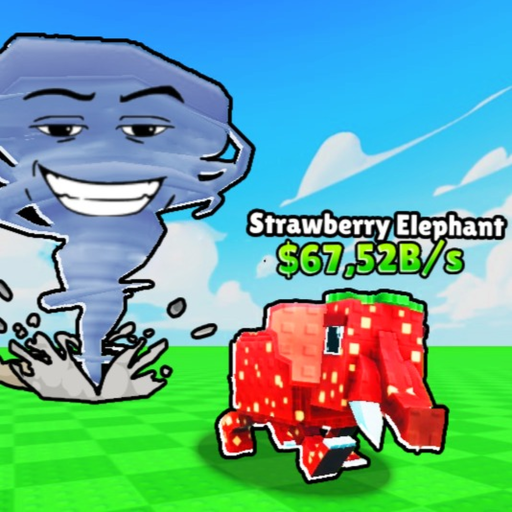
Be Tornado For Brainrots plays like a Roblox tycoon with a throw. You do not need a 30-key combat bar. You need to hit the plot fan, aim the tornado, grab a Brainrot, and press the correct HUD button when you want HOME instead of SELL. This page is PC and mobile mapped to the real loop: fan, wind throw, Return, pad, shop. Pair it with Getting Started for the first ten minutes and how to protect your plot for what happens if you mash the wrong color.
The game is free on Roblox (Red Frog Games, 28 July 2026) and runs in 6-player servers. Keyboard, mouse, touch, and console-style Roblox mapping all end up on the same three HUD actions. If a prompt does not fire, you are usually in the wrong menu, not missing a hidden keybind.
HUD first: SELL, HOME, SHOPS
Three buttons sit on the HUD in every session.
- SELL (red). Deletes the Brainrot in context for cash. Use it on F-tier such as Pharaoh and Pipi Kiwi. Do not use it when you meant to Return.
- HOME (yellow). Return / Home. Snaps you back to your plot with the grab. This is the loop button. Playthroughs call it Return or Home; the color is yellow.
- SHOPS (blue). Opens shops: unit upgrades, wind, Carry, fans. Copper (
$100k), Gold ($1B), and Redstone (~$100B) live here. Close it before you throw.
Wind level is a number on screen (clips show values such as 141). It is not a button. Cash suffixes such as Sp, Sx, and No are magnitude labels on the same wallet. They are not extra menus.
If you remember nothing else: yellow completes a capture. Red sells. Blue spends. Mixing them up is how a Rare becomes a sell receipt.
PC: WASD, mouse look, clicks
On PC, move with WASD. Use mouse look to aim the camera at the plot fan, a Brainrot in a zone, a pad, or a HUD button. Click the fan to become the tornado. Click world prompts when the game asks you to grab or place. Click yellow HOME when the grab is done.
You do not walk a Brainrot home with WASD as the intended path. Movement is for lining up the throw and for standing on your plot after Return. If you are WASDing across Common, Uncommon, Rare, and Epic grass with a unit in hand, you skipped HOME. Playthroughs also name those bands starter, wood, cobblestone, legendary, coal, and copper — still not a walking tour.
Click discipline:
- Click fan on your plot (not a neighbor’s fan on a 6-player server).
- Mouse-look toward the band your wind can actually reach.
- Click the Brainrot grab prompt.
- Click yellow HOME. Do not click red. Do not click blue.
- Click a pad to place. Prefer the 1.5X cash pad for the keeper.
- Click blue SHOPS only after the unit is parked.
Carry starts at 1, so there is no “click second grab” step until you pay for extra slots (about 300M in playthroughs). One click-grab, one HOME.
Mobile: tap the same loop
On mobile, the loop is identical with thumbs. Tap the fan. Drag-look to aim the throw. Tap the Brainrot. Tap yellow HOME. Tap a pad. Tap blue SHOPS when you are ready to upgrade the unit, then wind, then Carry, then fans — the order in how to upgrade.
Fat-finger rule: HOME and SELL are different colors for a reason. Zoom your eyes to yellow before you tap. If you sell a Tric Trac Baraboom (~16k/s) because red was closer to your thumb, that is a control miss, not a balance issue. Park first, then use the rest of the screen.
Roblox system gestures (pause, report, player list) are not game actions. Close them before you tap HOME or you will think Return is broken. The tornado does not throw while you are in the Roblox menu.
Fan, grab, pad prompts
The plot fan is a world object. You must be on your plot to use it as the morph. Click/tap it; you become the tornado. Wind power then decides throw distance. There is no separate “become tornado” key.
Grab prompts appear when you intersect a Brainrot in a zone. Click/tap once. Spamming does not fill extra Carry slots you have not bought. If nothing highlights, you are not close enough, or you already hold a unit.
Pad prompts appear on your plot after Return. Click/tap the pad. If a neighbor is standing on it, the pad is still yours — wait and tap again. This is not a steal lock. See how to protect your plot.
Chest UIs are cash plus a wait timer. They are not controlled with WASD. Open them on purpose, never as a mis-tap on the way to HOME. Reward math is a percent of your best unit; chest rolls explains when a 20% tap is a trap.
Common control failures
HOME does nothing. You are inside SHOPS or a chest wait. Close blue. Then yellow.
You sold the grab. You hit red. Reload the habit: after a grab, eyes to yellow only.
You opened fans mid-air. Blue during a throw. Fans are partly cosmetic until wind is high; they are never an emergency button.
You landed on the wrong plot. Six players, adjacent grass. HOME again or walk one plot. Do not place on a neighbor’s pad.
You cannot reach Epic. That is wind, not a missing key. Buy wind after unit upgrades. Capture routing is how to capture.
Camera is in the ground. Mouse look / drag-look. WASD will not fix pitch.
There is no rebirth key. There is no steal emote that pays. Anyone telling you to bind prestige is describing another game.
Practice drill (two minutes)
From a fresh pad: WASD/tap to your fan. Morph. Throw into Common. Grab Top of the Barrel or Gangster Footera if you see them; sell Pharaoh or Pipi Kiwi. HOME. Park. Open SHOPS, upgrade the unit, close SHOPS. Repeat once toward Uncommon. If both Returns felt instant, your controls are fine and your next problem is spend order or zone picks — not keybinds.
When you want names ranked, use the tier list and Brainrot roster. When you want cash timing for Carry, use the income planner. When a patch remaps a button, it will show on updates. Codes do not change binds; the codes hub is still worth a glance if a drop ever appears.
Controls are the loop made visible. WASD and mouse look get you to the fan. Taps do the same on a phone. Yellow HOME is the skill shot. Everything else is a shop you open after the pad is already printing.
Frequently Asked Questions
Quick answers for tornado runs, plots, and cash.
What are the HUD buttons?
SELL is red, HOME (Return) is yellow, SHOPS is blue. Wind level is a readout (for example 141), not a button. Use HOME after every grab — see how to capture.
How do I play on PC?
WASD to move, mouse look to aim, click the plot fan, click grab prompts, click yellow HOME, click a pad. Do not walk a Brainrot home on foot. First session: Getting Started.
How do I play on mobile?
Tap the fan, drag-look, tap the Brainrot, tap yellow HOME, tap a pad. Avoid fat-fingering red SELL. Plot hygiene after a miss is in how to protect your plot.
Why won’t Return work?
You are probably in SHOPS or a chest timer. Close blue menus, then press yellow HOME. Chests are explained in chest rolls.
Is there a rebirth or steal hotkey?
No. The current build has no rebirth, and steal is not the main loop. Spend in upgrade priority instead of looking for a prestige bind.